AI Integration Guidelines for Designers
Purpose of this Document
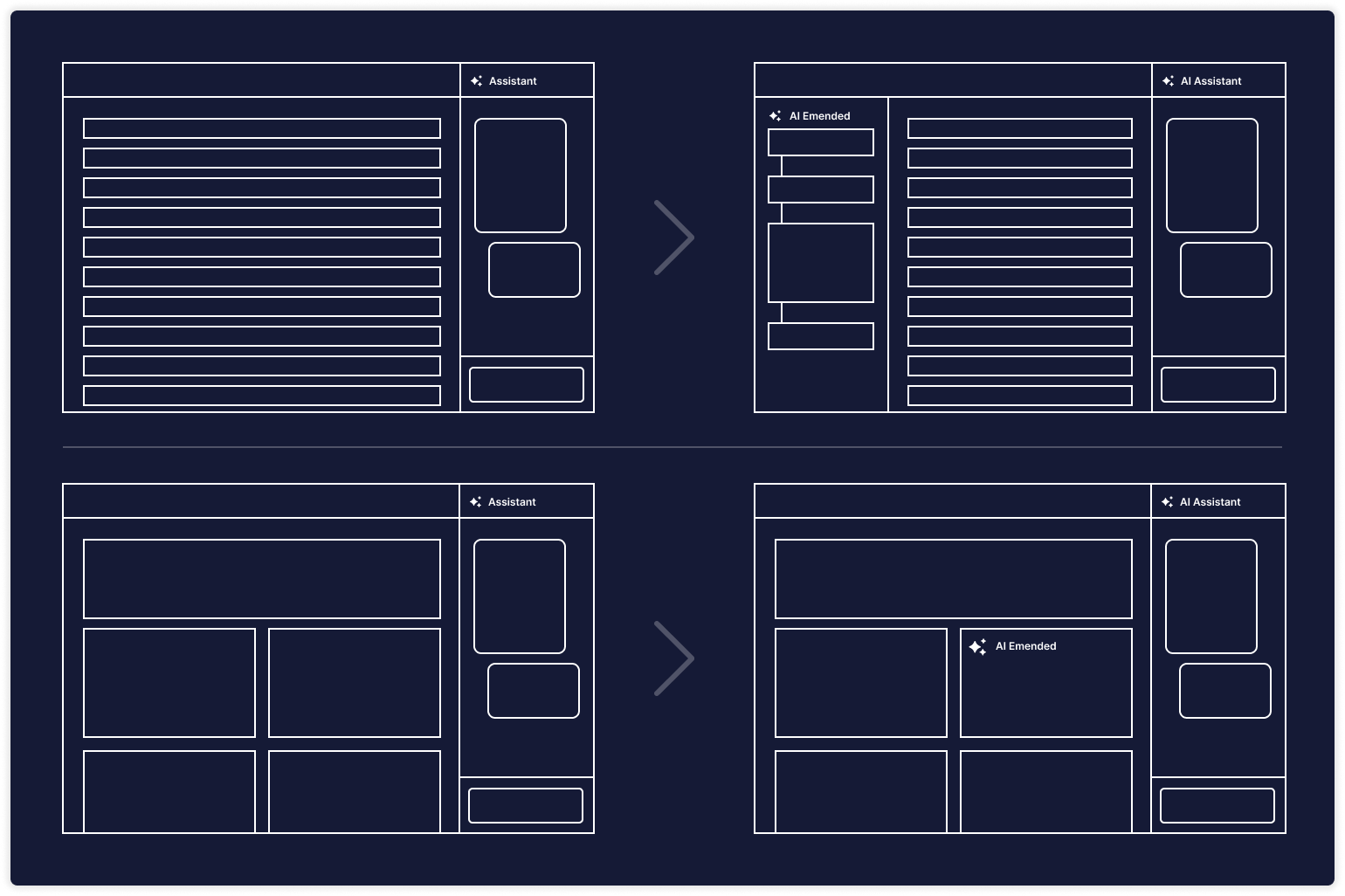
This document provides guidelines for deciding when AI capabilities should appear integrated within a page (inline) versus when they should live in the Assistant (side panel).
Our goal is to:
- Ensure consistency across the product.
- Support user learnability (users know what to expect).
- Give designers practical decision criteria (not just intuition).
- Reduce the risk of duplicated or inconsistent AI experiences.
- Define bi-directional flows: how users escalate Page work to Assistant, and how they can apply Assistant results back into the Page.
Use this doc when designing new AI-powered features and when reviewing existing ones.
How to Use This Document
- When designing an AI feature, review the decision parameters (below).
- For each parameter, decide whether it favors Page or Assistant.
- Use the scoring checklist to evaluate the overall direction.
- If unclear, default to Page (simpler, more discoverable) but include escalation to Assistant.
- Remember: users can also move Assistant → Page (apply results back). Plan for both directions.
- Document your decision and rationale in the design spec so reviewers understand the trade-offs.
Decision Parameters
| Aspect | Page | Assistant (Side Panel) |
|---|---|---|
| Content Size / Complexity | ≤ 2–3 sentences, ≤ 300 chars | Longer, structured, reasoning chains |
| Persistence Need | Ephemeral, tied to current entity | Persistent thread, cross-session |
| Action Type | Inline updates (summaries, highlights, insights) | New artifacts (cases, what-if scenarios, reports) |
| Error Tolerance | Low-risk, deterministic | Probabilistic, exploratory, subjective |
| User Effort | 1-click, no prompt | Requires prompting, iterative dialog |
| Collaboration Need | Private, local | Shared/exportable |
| Context Continuity | Single entity only | Multi-entity, cross-page, memory-aware |
Scoring Checklist
- Content is short/simple
- User doesn't need to revisit later
- Output directly augments existing page
- Low error risk
- Minimal user effort required
- Private/local use
- Context doesn't persist beyond page
If ≥ 5 boxes checked → Page (inline).
If < 5 boxes checked → Assistant.
If balanced → Start in Page, offer escalation to Assistant.
Bi-Directional Flows
1. Page → Assistant (Escalation)
- Triggered when the user needs more detail, longer output, or reasoning.
- Pattern: “Open in Assistant” → auto-injects inline result and current context.
- Keeps continuity: conversation starts where inline left off.
2. Assistant → Page (Application)
- Triggered when the user wants to materialize Assistant work into the page.
- Patterns:
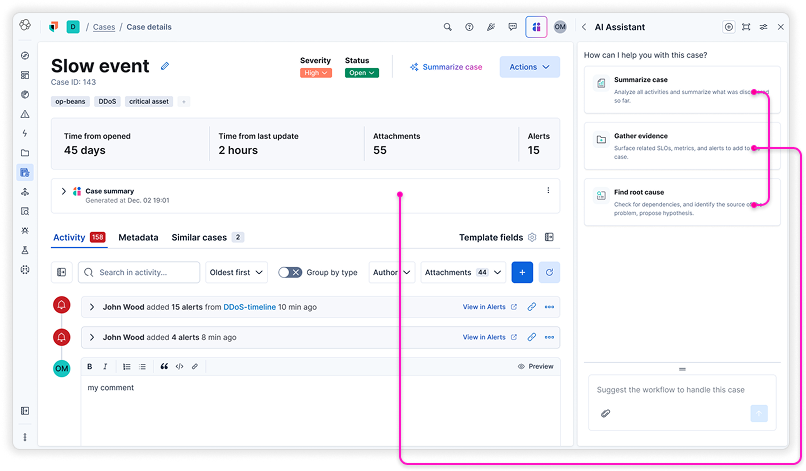
- Apply: Insert a generated summary/insight into the page.
- Replace: Update an existing field with AI-generated refinement.
- Insert: Add Assistant content into editable state (e.g., draft case description).
- Link: Keep result in Assistant but create a reference/link inside the page.
- Must show traceability (e.g., “Generated by Assistant on [timestamp]”).
- Handle context mapping: confirm where content will land if a user changed pages since generating it.
Design Guardrails
- No duplication: Do not show full outputs in both places; use escalation or apply patterns.
- Context awareness: Assistant always displays context tags (e.g., “Service X, Logs Y”).
- Voice consistency: Brand tone must be identical; only length/format differ.
- Transparency: If Assistant carries context across pages, show indicator (“Using context from Service A, Incident B”).
- Collaboration: Only Assistant outputs should be optimized for sharing/export, unless explicitly promoted back to Page.